Student Training Guide | 2026

AI-Powered Digital Operations & Engineering Delivery Bootcamp

A practical 6-day bootcamp for Higher Levels students who are ready to build real workflows, dashboards, automations, AI-assisted deliverables, and a portfolio-ready capstone.

6 Days Production-focused training with clear daily outcomes.
Higher Levels Designed for students ready for applied operations, AI, and engineering delivery work.
30 Hours Compact technical training across one focused 6-day path.
Portfolio Students leave with practical outputs they can present.

Training duration: 6 days, 30 hours total.

This is one Higher Levels path. Students move from workspace setup and data operations into dashboards, automation, AI workflows, engineering delivery, and a final capstone.

Program Overview

The bootcamp is built for Higher Levels students who need practical modern-work skills: AI tools, automation, dashboards, product planning, engineering operations, collaboration systems, and final portfolio delivery.

Format

Hands-on production

Every day ends with a clear output students can use in their final portfolio.

Best for

Higher Levels students

Useful for students ready to apply operations, product, software, automation, AI tooling, and delivery workflows.

Outcome

Capstone and portfolio

Students package their work into a final presentation that shows applied skill.
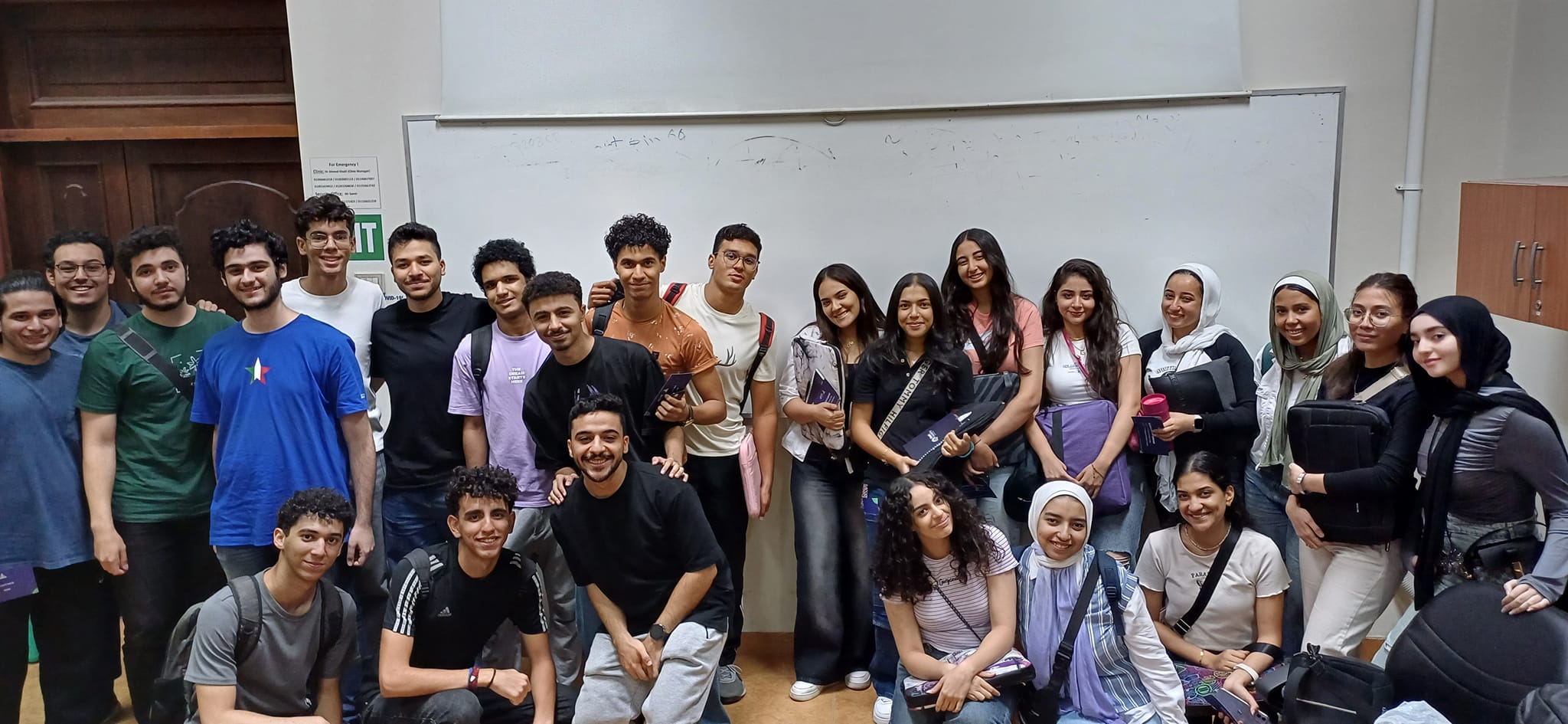
Ain Shams University students after a Coach Academy training session
Real training environment

Built for practical student delivery, not lecture-only attendance.

The training style focuses on examples, guided work, tool usage, teamwork, daily production, and a final capstone that students can defend.

Learning Path

One Higher Levels path with a clean progression: organize work, plan delivery, report progress, automate repeated work, use AI safely, collaborate like an engineering team, then defend a capstone.

Higher Levels 6-Day Curriculum | 30 Hours
Day
1

Work OS Setup & Operational Data Foundations

Students start by turning messy team work into a controlled operating system. The goal is to make tasks, owners, statuses, dates, and handoffs visible before any advanced tool is added.

What happens during the day

  • Core concepts: work operating systems, task fields, ownership, controlled status values, due dates, references, and data quality rules.
  • Spreadsheet operations: build a shared tracker, create a reference Lists tab, add dropdowns, protect fixed areas, and use lookup logic to avoid repeated manual entry.
  • Team workflow: define what people enter manually, what should be pulled automatically, and how different views serve team members and managers.
  • Hands-on lab: clean a messy team tracker and rebuild it as a usable operational record.
  • Day output: controlled work tracker ready to support planning, reporting, and automation.
Day
2

BRD to PRD & Jira Delivery Planning

Students learn how to move from business intent to product scope, then into a delivery board that a real team can use to ship work without confusion.

What happens during the day

  • Requirement reading: separate stated facts from assumptions, identify user needs, detect missing product decisions, and write useful clarification questions.
  • PRD structure: define goals, users, scope, non-goals, risks, open questions, success criteria, and the first version of the product requirement.
  • Delivery planning: convert the PRD into epics, stories, tasks, subtasks, priorities, dependencies, and acceptance criteria.
  • Board setup: design a Jira-style workflow with backlog, ready, in progress, review, blocked, and done states.
  • Day output: PRD v1 plus Jira-style delivery board with sprint-ready work items.
Day
3

BI Dashboards & Decision Reporting

Students learn how to turn operational data into dashboard views that help managers understand progress, blockers, workload, and where action is needed.

What happens during the day

  • Reporting question: decide what the dashboard must help someone know or do, instead of showing every available column.
  • KPI model: define useful metrics, data dictionary, calculation logic, chart choices, filters, and audience-specific views.
  • Dashboard production: prepare reporting data, build Power BI or Looker Studio views, and compare strong vs weak dashboard decisions.
  • Insight narrative: explain trends, risks, bottlenecks, and recommended actions in clear decision language.
  • Day output: dashboard/report with KPI definitions, visuals, and short interpretation notes.
Day
4

Automation Pipelines & Applied AI Workflows

Students learn how to remove repeated manual work safely, then use AI as a structured production assistant for updates, summaries, campaign assets, and internal deliverables.

What happens during the day

  • Automation logic: identify repeated work, define trigger, condition, action, owner, failure case, and review responsibility before opening any tool.
  • Tool practice: map and test a notification or follow-up workflow, then compare how Zapier and n8n represent the same automation.
  • Applied AI: define quality standards, write constrained prompts, compare AI drafts, revise intentionally, and avoid sending polished but wrong output.
  • Production use case: create a small campaign or stakeholder update package with brief, audience, message structure, final copy, and rationale.
  • Day output: automation workflow map plus reusable AI production workflow and sample deliverables.
Day
5

AI Dev Stack, Git Collaboration & Debugging

Students move into technical delivery habits: using AI development tools with judgment, collaborating through Git and pull requests, and handling unclear bugs without jumping to unsafe fixes.

What happens during the day

  • AI dev stack: compare Cursor, Claude Code, MCP-style workflows, repository context, command access, tool permissions, and safety boundaries.
  • Engineering collaboration: create bounded branches, readable commits, useful pull request descriptions, review comments, and response-to-review habits.
  • Debugging method: read vague reports, identify knowns vs assumptions, reproduce the issue, trace the failure path, and separate defect from requirement ambiguity.
  • Fix planning: write clarification questions, define the smallest safe correction, and verify whether the change is supported by evidence.
  • Day output: AI-assisted engineering workflow, PR/review package, debugging report, and bounded fix plan.
Day
6

Capstone: Build, Package & Defend the Workflow

Students connect the full journey into one complete case. The final day is about building a coherent portfolio project and defending the decisions behind it.

What happens during the day

  • Project assembly: combine tracker, PRD, Jira board, dashboard, automation map, AI workflow, collaboration artifacts, and debugging notes.
  • Story structure: present the work as one chain: problem, operating system, plan, reporting, automation, AI support, engineering execution, and results.
  • Portfolio packaging: clean the folder, name artifacts clearly, write a short project summary, and prepare a demo that can be understood quickly.
  • Defense: answer questions about tool choices, tradeoffs, missing information, failure cases, quality checks, and next improvements.
  • Day output: packaged portfolio, final capstone presentation, technical defense, and production-readiness closeout.

What Students Will Build

Students leave with one connected portfolio that proves they can organize work, use AI tools, automate workflows, report progress, and defend delivery decisions.

Core project artifacts

  • Controlled work tracker with clean fields, dropdowns, owners, statuses, and reference data.
  • PRD v1 with scope, non-goals, risks, open questions, and success criteria.
  • Jira-style delivery board with epics, stories, tasks, priorities, statuses, and acceptance criteria.
  • Dashboard or report with KPI definitions, visual views, and decision notes.
  • Capstone folder that packages the full workflow into a portfolio-ready project.

Automation, AI & engineering outputs

  • Automation workflow map with trigger, condition, action, owner, failure case, and test notes.
  • Reusable AI production workflow with prompt constraints, review criteria, and revised outputs.
  • AI-assisted deliverables such as stakeholder updates, campaign copy, or internal communication assets.
  • Git collaboration package with branch plan, commit examples, PR description, and review notes.
  • Debugging report with reproduction steps, evidence, clarification questions, and bounded fix plan.

Assessment & Recognition

Assessment focuses on practical delivery, communication, and the final portfolio.

Daily work

Daily Deliverables

Measures whether students can apply each day’s topic in a real output.

Engagement

Participation

Looks at discussions, demos, teamwork, tool use, and hands-on production.

Final output

Capstone Presentation

Students package and defend their workflow, decisions, deliverables, and tool choices.

FAQ

Quick answers for Higher Levels students before joining the AI operations and engineering delivery bootcamp.

Is this one path or multiple paths?

It is one Higher Levels 6-day path. Students learn operations, dashboards, automation, AI workflows, engineering delivery, collaboration, debugging, and capstone presentation together.

How long is the training?

The bootcamp is 6 days and 30 total training hours. Each day has a practical theme and a clear deliverable.

Who should join this program?

Higher Levels students who are ready for applied product, software, operations, automation, marketing technology, AI-assisted delivery, and engineering collaboration workflows.

What is the final output?

Students package a portfolio project that includes workspace setup, dashboard/report, automation map, AI workflow, delivery board, collaboration documents, debugging notes, and final presentation.

Prepared for students | Coach Academy Student Bootcamp Guide | June 2026
Scroll to Top